



Overview
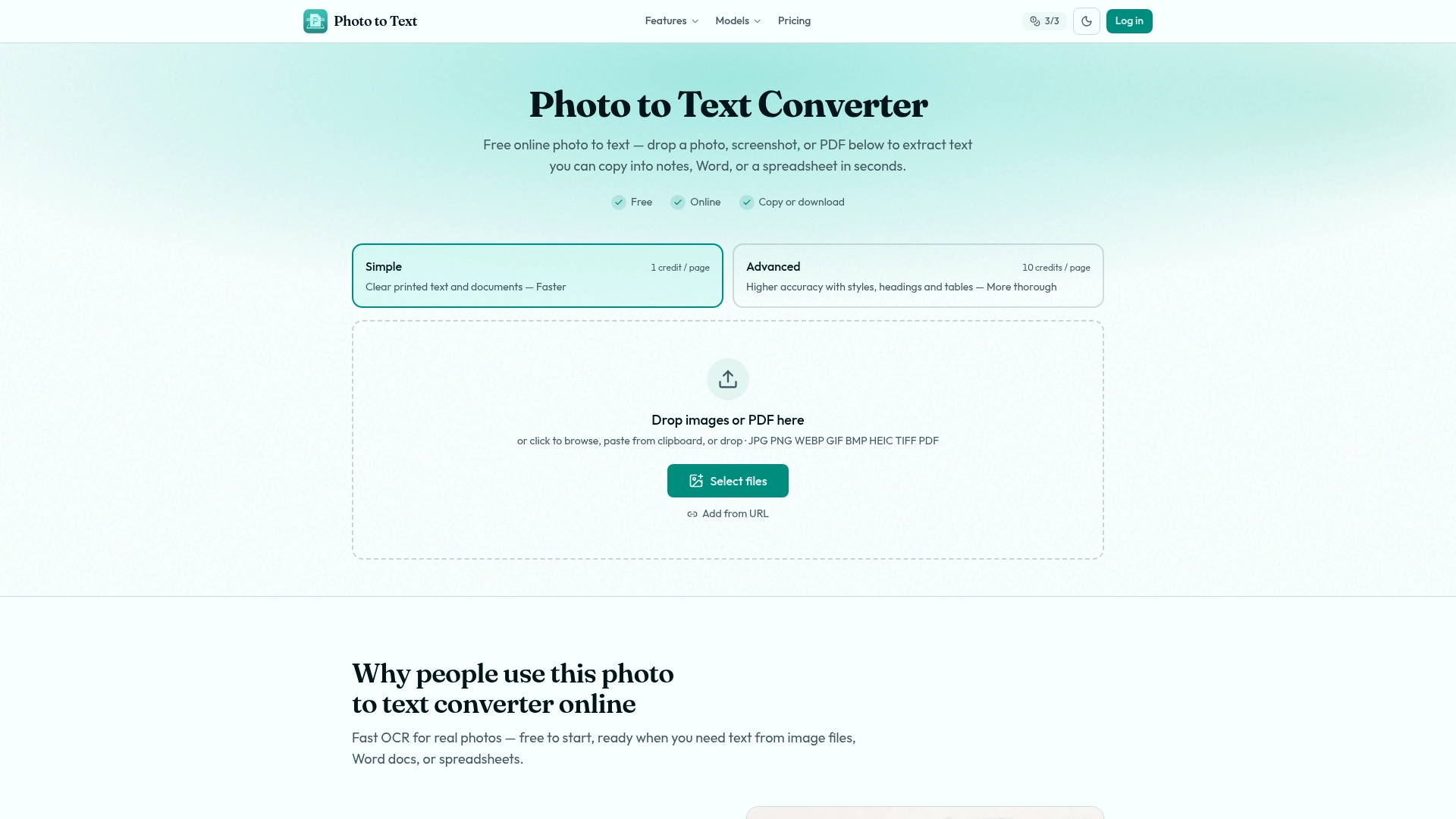
Photo to Text Converter is a free online OCR tool that extracts text from images, PDFs, and screenshots. It supports common formats like JPG, PNG, WEBP, and HEIC, and allows you to copy the extracted text or convert it to Word or Excel documents.
Tags
#ocr #text-extraction #image-to-text #free #online #no-signup
Key features
Fast OCR
Extract text from images, PDFs, and screenshots quickly with OCR technology.
Multiple Formats
Supports JPG, PNG, WEBP, GIF, BMP, HEIC, TIFF, and PDF for image-to-text conversion.
Copy to Word
Copy extracted text with formatting or download as DOCX, Markdown, or TXT.
Image to Excel
Convert tables from receipts, screenshots, or scanned sheets into editable Excel spreadsheets.
Advanced Mode
Use Advanced OCR for blurry shots, tilted pages, handwriting, crowded layouts, or table images.
Privacy Protection
No data is transmitted or stored for guest conversions; guest results are not kept as account history.
Pricing
Free to start without sign-up; credits and plans unlock more volume and Advanced mode.
FAQ
Is this photo to text converter free?
Yes, you can start without signing up. Credits and plans unlock more volume and Advanced mode when needed.
Do you store my images?
No data is transmitted or stored for guest conversions. If you sign in and save results, you can delete them anytime; unused results are cleared after about 14 days.
Can I copy text from image results into Word?
Yes, after OCR you can copy with formatting or download DOCX, Markdown, or TXT. You can also use the JPG to Word page for more options.
Can I turn a photo of a table into Excel?
Yes, use the JPG to Excel converter for receipts, screenshot tables, and scanned sheets. Extract the grid with Advanced OCR, edit cells, and download XLSX, CSV, or TSV.
Does it support PDF, JPG, and PNG?
Yes, JPG, PNG, PDF, and other common formats like WEBP and HEIC are supported.
When should I use Advanced instead of Simple?
Use Simple for clear photos and screenshots. Choose Advanced for blurry shots, tilted pages, handwriting, crowded layouts, or table images headed for Excel.