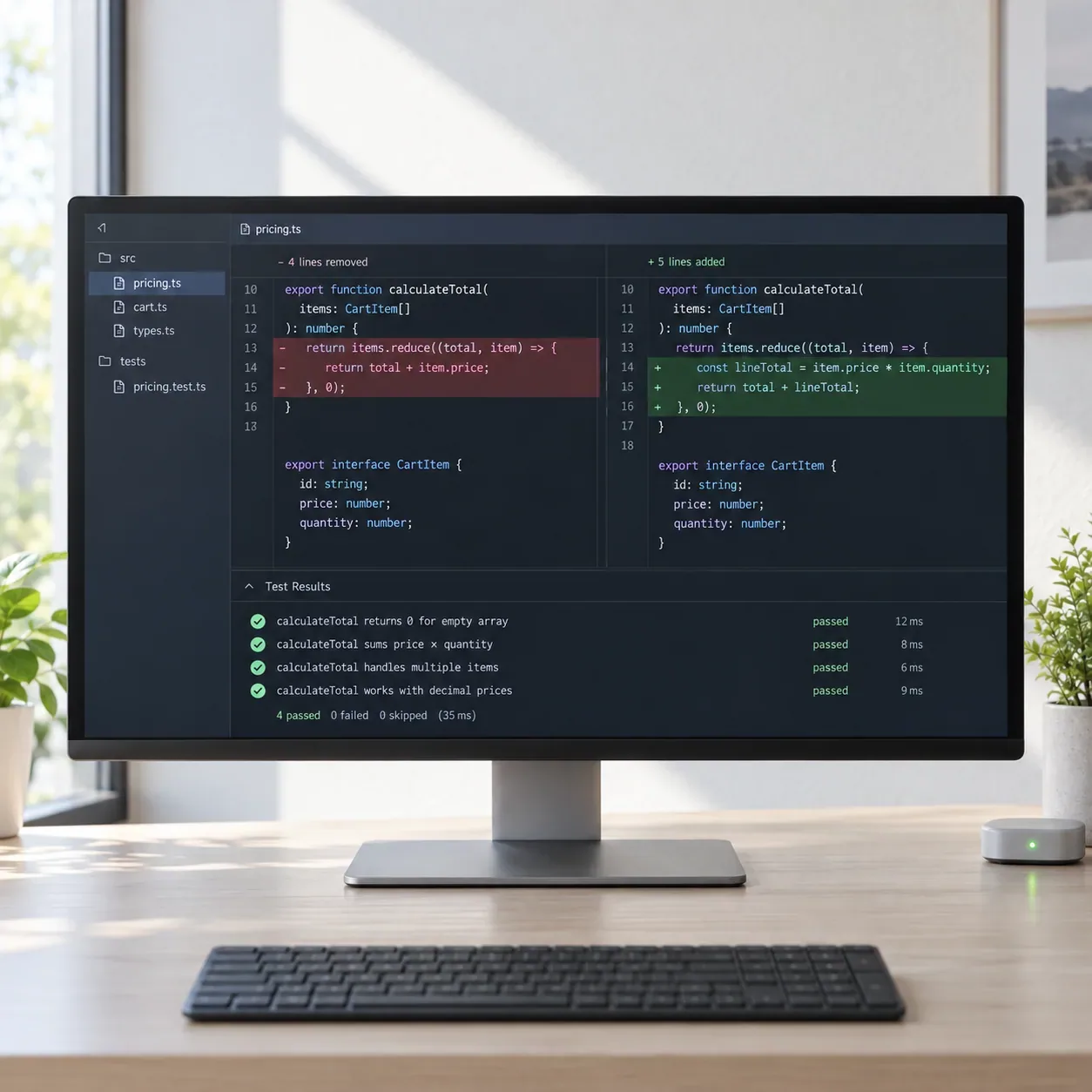
Best AI Tools for Code Generation in 2026
Compare 8 tools and produce a small code change that passes tests and remains reviewable.
Explore the guide
From a scoped specification to a reviewable result.
Change: A results page adds pagination to a filtered list.
Candidate finding
A stale page number could hide results after a filter narrows the list.
Expected: Changing the filter should return to the first results page.
Regression check
Move to a later page, apply a restrictive filter, and check the first matching result.
Review focus: Check how filter state and page state interact.
Decision
Merge only after the fix and normal repository checks are reviewed.
Illustrative example, not a product run or measured result.
The useful handoff is a trigger, impact, and verification step, rather than a count of generated comments.
8 tools. Find your starting point.
Add a dedicated pull request developer

CodeRabbit
Use repository context, review comments, and follow-up chat to examine a change.

Qodo
Use codebase context and rules across pull requests and local workflows.

Claude
Use prompts and supplied code context to draft a small change that can be tested and reviewed.

Sourcery
Use summaries, diagrams, and line-level feedback to make a pull request easier to inspect.
Review in the existing development workflow
Add security and code-quality evidence
Compare what changes your decision.
8 tools for code generation · official sources rechecked September 16, 2026
| Tool | Review fit | Starting material | Review output | Access | Practical limit |
|---|---|---|---|---|---|
| CodeRabbit | Add a pull request review pass | Pull request and review rules | Comments and suggested fixes | Essentials, Team, Advanced, Enterprise; public-repo access | Hourly review allowances and optional usage charges apply. |
| Qodo | Apply shared review rules | Repository and team standards | Generated change and rule feedback | Pro Team or Enterprise; 14-day trial | Credits expire monthly and reviews pause after the trial without a paid plan. |
| Claude | Generate a scoped change from context | Prompt and supplied code or files | Generated code and explanation | Free and paid Claude plans | Context and usage limits vary; tests and human review remain required. |
| Sourcery | Explain a change for developers | Pull request or supported editor | Summaries, diagrams, and suggestions | Open Source, Pro, Team, Enterprise | Displayed paid rates have an unresolved billing basis. |
 GitHub Copilot GitHub Copilot | Review within an existing GitHub workflow | Pull request or code in a supported IDE | Review comments and proposed changes | Paid Copilot plans; Free excludes review | Some file types are excluded; review costs can include AI credits and Actions resources. |
 Bito Bito | Review across several Git hosts | Pull request or local changes | Summaries, comments, and incremental review | Free summaries; Team, Professional, Enterprise | New workspaces default to automatic seat assignment and purchase. |
 Snyk Snyk | Add source-code security checks | Source code or pull request | Security findings and fix advice | Free, Team, Ignite, Enterprise | Security analysis does not establish that the feature behaves correctly. |
 SonarQube Server SonarQube Server | Bring established analysis into an AI workflow | Repository and server analysis | Quality findings and AI-assisted follow-up | Developer, Enterprise, Data Center | Server licensing depends on lines of code; AI CodeFix is an Enterprise feature. |
A closer look at 8 tools.
CodeRabbit
- $24/month
- $48/month
- $72/month
- Custom pricing
- Free
- Choose it when
- Teams introducing a dedicated AI developer.
- Think twice when
- Hourly review allowances and optional usage charges apply.
- Before you start
- Start with a small pull request and set a spending cap.
Qodo
- $30/month
- Custom pricing
- Choose it when
- Teams standardizing reviews across repositories.
- Think twice when
- Credits expire monthly and reviews pause after the trial without a paid plan.
- Before you start
- Estimate a pilot credit pack and confirm administrator installation access.
Claude
- Free
- $20/month
- $100/month
- $25/seat/month
- Price unverified
- Custom pricing
- Choose it when
- Developers with a clear specification and acceptance tests.
- Think twice when
- Generated analysis can miss runtime behavior and repository context. Run tests and inspect the actual diff.
- Before you start
- Provide only the files needed for the task, state constraints, and define the tests that decide success.
Sourcery
- Free
- Price unverified
- Custom pricing
- Choose it when
- Teams that want change explanations beside suggestions.
- Think twice when
- Displayed paid rates have an unresolved billing basis.
- Before you start
- Confirm monthly or annual billing before purchasing.
GitHub Copilot
- Free
- $10/month
- $39/month
- $100/month
- $19/month
- Choose it when
- Teams with paid Copilot access and enabled policies.
- Think twice when
- Some file types are excluded; review costs can include AI credits and Actions resources.
- Before you start
- Check excluded files and keep other required checks in place.
Bito
- Free
- $12/month
- $20/month
- Custom pricing
- Choose it when
- Teams choosing a changed-line budget and explicit seat controls.
- Think twice when
- New workspaces default to automatic seat assignment and purchase.
- Before you start
- Select a seat-management mode and inspect the changed-line allowance.
Snyk
- Free
- $25/month
- $1,260/year
- Custom pricing
- Choose it when
- Teams complementing behavioral review with security analysis.
- Think twice when
- Security analysis does not establish that the feature behaves correctly.
- Before you start
- Confirm language support, product price, and account test allowance.
SonarQube Server
- Price unverified
- Choose it when
- Organizations with a managed quality-check process.
- Think twice when
- Server licensing depends on lines of code; AI CodeFix is an Enterprise feature.
- Before you start
- Confirm server edition, deployment, and AI-client compatibility.
The comparison describes documented workflows. It does not rank measured bug-detection quality.
From a change brief to a review decision.
Describe the intended behavior
Write the change goal, affected paths, and the base revision. Add the edge cases that must continue to work. Keep unrelated changes in another pull request.
Configure a narrow review
Install CodeRabbit on the intended repository with the required permissions. Provide concise project rules and request a review on a small pull request. In another tool, use its corresponding repository or IDE review workflow.
Triage each finding
Read the changed code and surrounding callers. Ask for the trigger, affected behavior, and a concrete example when a comment is unclear. Separate confirmed defects from style preferences and unsupported claims.
Fix and verify the behavior
Apply only changes you understand. Run the relevant tests, linters, type checks, and security checks. Add a regression test when it demonstrates the reported failure. Re-review materially changed code.
Record the human decision
Summarize resolved findings, rejected suggestions, test evidence, and remaining risk. Use the repository’s normal human approval and merge process. An AI review is one source of evidence in that decision.
Prepare the review brief.
Use this as repository instructions or a review brief where supported. Avoid pasting secrets into review prompts.
CHANGE
Base revision: [commit]
Review revision: [commit]
Intended behavior: [behavior]
Changed areas: [paths]
Known edge cases: [cases]

REVIEW REQUEST
Identify actionable defects introduced by this change.
For each finding include the file, trigger, impact, and supporting code.
Distinguish confirmed behavior from assumptions.
List files or behaviors you could not assess.

HUMAN TRIAGE
Finding | Confirmed or rejected | Reason | Fix | Verification

MERGE HANDOFF
Checks run and results: [evidence]
Remaining risk: [items]
Developer and decision: [owner/decision]
Before merging
Questions before you start.
Can an AI developer replace the human approval?
Use it to add evidence and focus attention. A responsible developer still needs to assess intended behavior, test results, and the consequences of merging.
Should every suggested fix be applied?
First confirm the trigger and impact. Reject suggestions that do not match the code or intended behavior, and test changes you accept.
Why include security scanners in this comparison?
They answer a narrower question about vulnerabilities or quality rules. That evidence complements a review of business logic and user-visible behavior.
How can I control review costs?
Pilot a small set of pull requests, inspect actual credit or changed-line usage, and set spending and seat controls. Repeated reviews and larger changes can consume more allowance.
Does no feedback mean the change is safe?
No. Check which files and context the developer covered, then run the repository’s relevant tests and other required checks.
Sources
Official product pages used to support the comparison above.